
Sample File & Results (Employees)
Mosaic's Member Import lets you add your whole team from a spreadsheet at once — each person's role, rate, discipline, time-off policy, and skills — instead of inviting people one by one. This page shows how to fill out your file and what your team looks like in Mosaic afterward.
Throughout this page we use one example file with six people — a mix of full members, a contractor, and a guest — to show how everything fits together.
Download the templateStart from the sample file, then replace the example rows with your own data.
Admin onlyMember import is available to workspace admins. If you don't see the import option, ask an admin to run it.
What one import creates
Each row adds one person to your organization. Along with their name and email, a row can set:
- Employment Type — how they access Mosaic (Member, Guest, or Contractor)
- Role, Discipline, Department, Office, Region — how they're organized
- Rate — their billing rate and its label
- Time Off — their PTO hours and policy label
- Skills — with optional proficiency levels
Unless you skip it, each new person is sent an invitation email to join your workspace.
New values are created automaticallyIf a Role, Discipline, Office, Region, Department, Rate, or Time-Off policy in your file doesn't exist yet, Mosaic creates it. Type them carefully — a typo makes a new role rather than matching an existing one.

How the file is structured
| Requirement | Value |
|---|---|
| File types | .csv, .xlsx, or .tsv |
| Max file size | 20 MB |
| First row | Column headers |
| Each row | One person |
Unlike the project import, each person is a single row — nothing repeats. The one column that uniquely identifies a person is their Email.
A few example rows from the sample file:
| First Name | Last Name | Employment Type | Role | Rate Amount | Rate Description | Skills | |
|---|---|---|---|---|---|---|---|
| [email protected] | Sarah | Chen | Member | Architect | 150 | Senior Architect Rate | Revit:5, AutoCAD:4 |
| [email protected] | Diego | Morales | Contractor (External) | Drafter | 85 | Contract Drafter Rate | AutoCAD:5, SketchUp:3 |
| [email protected] | Liam | O'Connor | Guest |
Column reference
Only Email, First Name, and Last Name are required. Everything else is optional — include just the columns you need.
NoteThe role/rate/discipline/office/region/department/skills columns only appear if your workspace has the associated-member-fields setting turned on. If those columns don't show up during import, that setting may be off.
Identity (required)
| Column | Required? | Format / accepted values | Example |
|---|---|---|---|
| ✅ Always | A valid, unique email address | [email protected] | |
| First Name | ✅ Always | Text | Sarah |
| Last Name | ✅ Always | Text | Chen |
Access & organization
| Column | Required? | Format / accepted values | Example |
|---|---|---|---|
| Skip Invite | Optional | true / false (default false) — true adds the person without sending an invite email | true |
| Employment Type | Optional | Member, Guest, Contractor (Internal), or Contractor (External) (defaults to Member) | Member |
| Role | Optional | An existing role name, or a new one to create | Architect |
| Discipline | Optional | An existing discipline, or a new one | Architecture |
| Department | Optional | An existing department, or a new one | Design |
| Office | Optional | An existing office, or a new one | New York |
| Region | Optional | An existing region, or a new one | Northeast |
| Currency | Optional | An ISO currency code from Mosaic's list | USD |
Rate & time off (paired columns)
| Column | Required? | Format / accepted values | Example |
|---|---|---|---|
| Rate Amount | Optional | A positive number — pair with Rate Description | 150 |
| Rate Description | Optional | The label for that rate | Senior Architect Rate |
| Time Off Hours | Optional | A positive number — pair with Time Off Description | 160 |
| Time Off Description | Optional | The label for that policy | Standard PTO |
| Skills | Optional | Comma-separated; each may add :level (1–5) | Revit:5, AutoCAD:4 |
Rules that keep your file valid
- Email, First Name, and Last Name are required on every row. Emails must be valid and not already exist in your team.
- Employment Type must be spelled exactly:
Member,Guest,Contractor (Internal), orContractor (External). - Currency must be an ISO code from Mosaic's dropdown — free text is rejected.
- Rate is a pair. If you enter a Rate Description, you must also enter a Rate Amount (a positive number). If a description matches one Mosaic already knows, the amount must match it.
- Time Off is a stricter pair. Hours and Description go together — enter one and you must enter the other.
- Skills format: separate skills with commas; add a level with a colon and a number 1–5, e.g.
Management, Leadership:2. Don't start the cell with a comma.
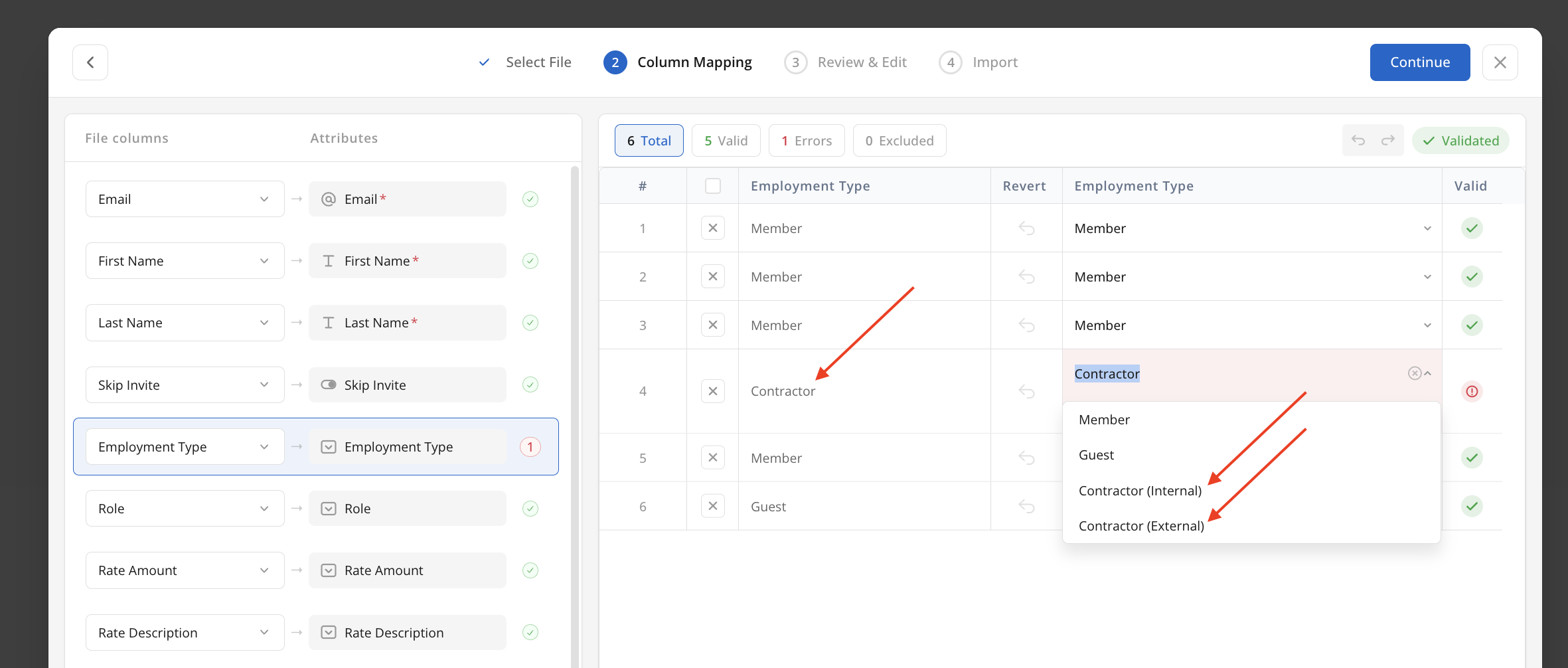
What your import looks like in Mosaic
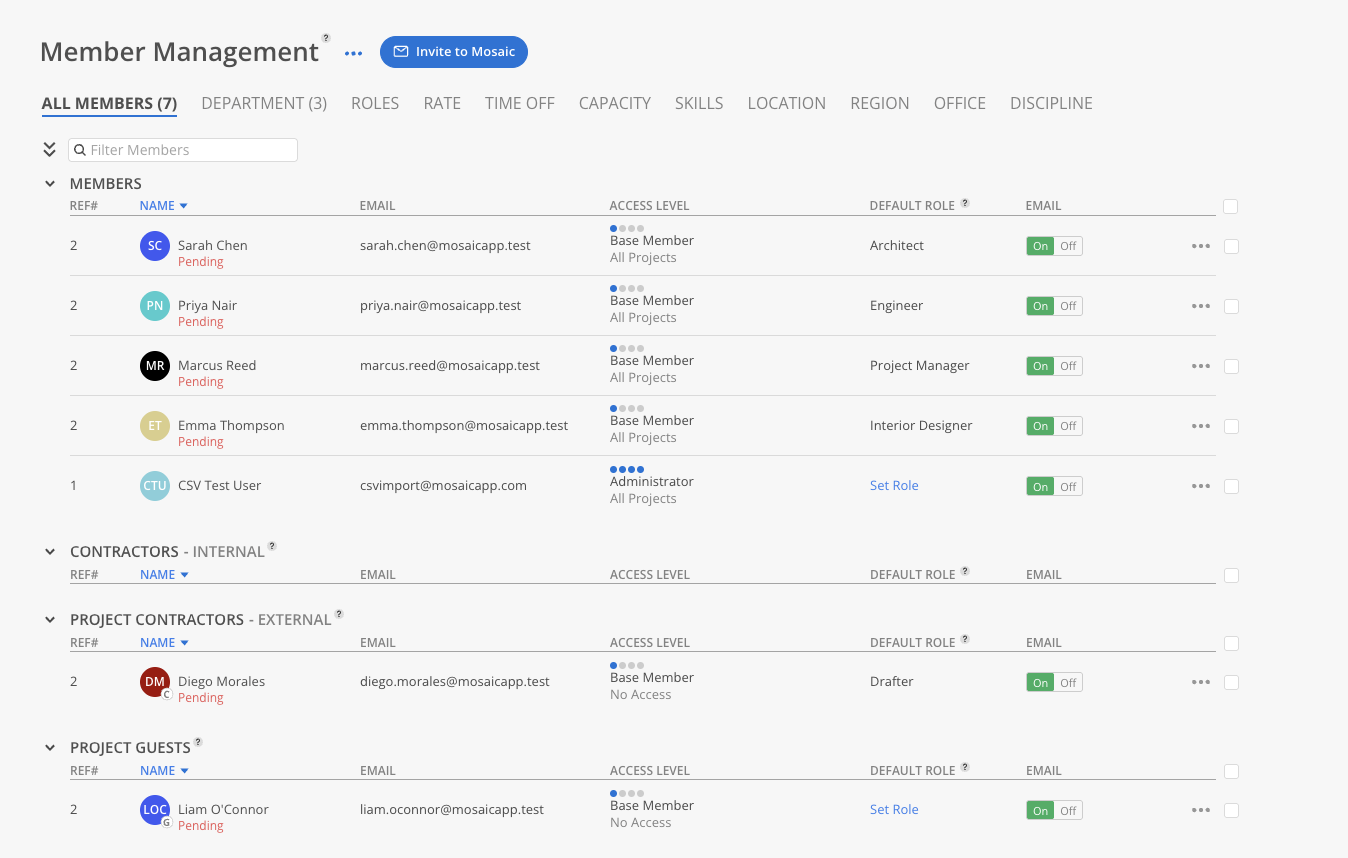
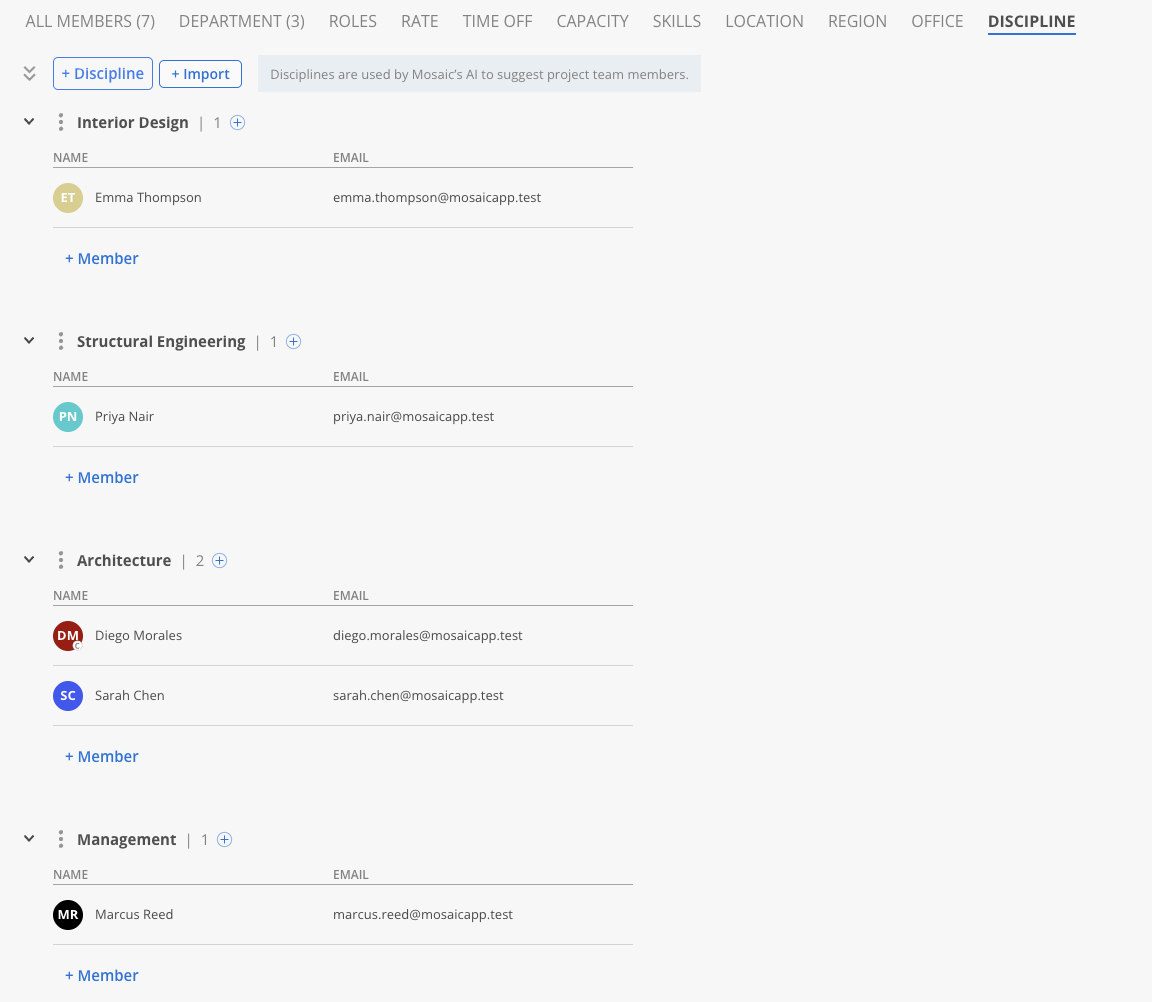
Once imported, everyone appears in Member Management (Team ▸ Members). The attributes you set in the file don't all sit on one screen — each one populates a matching tab across the top of Member Management:
-
All Members — lists all six people with their name, email, and access level from Employment Type (Diego Morales comes in as a Contractor (External), Liam O'Connor as a Guest, the rest as Members).
-
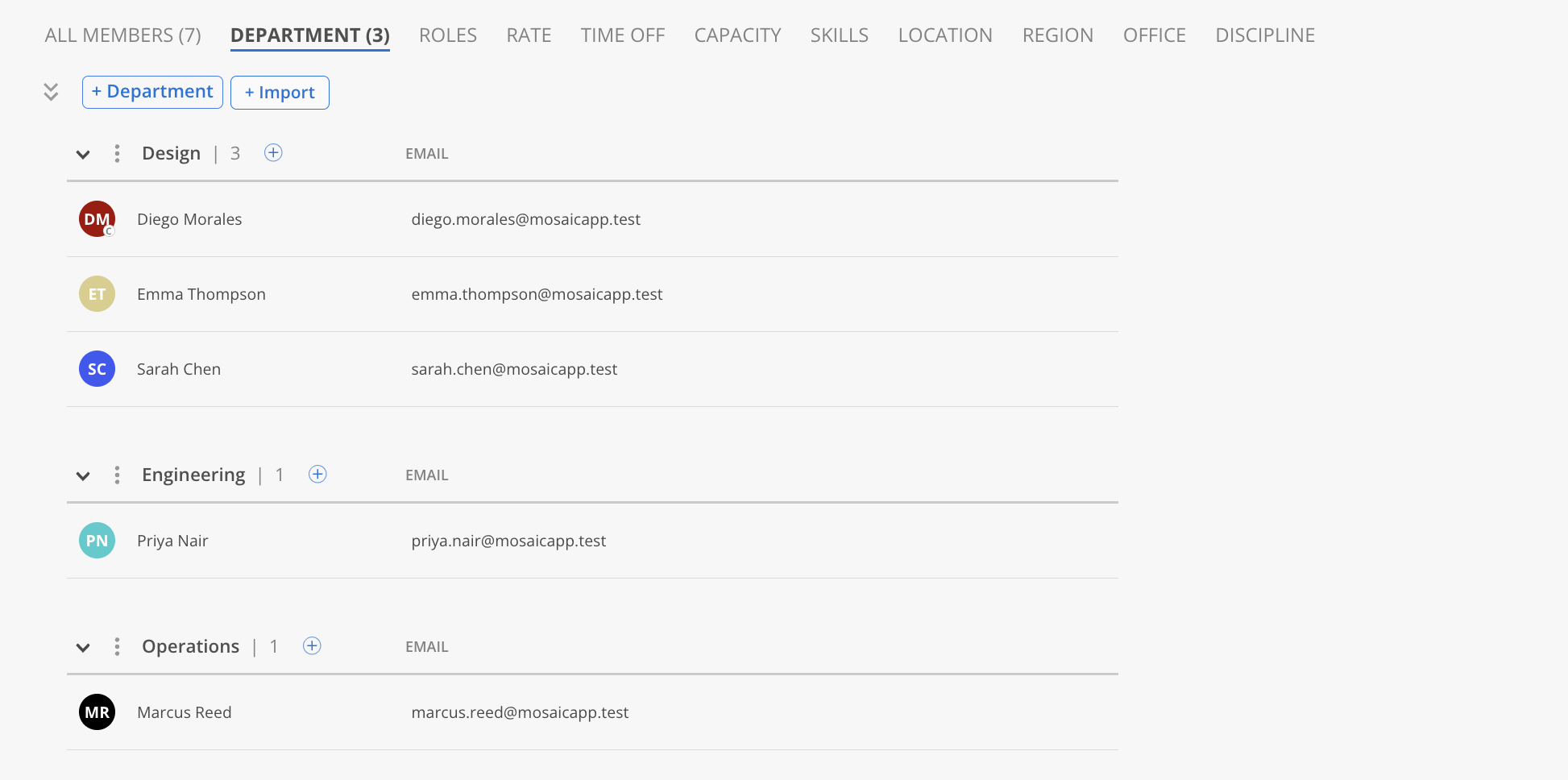
Department — groups members by the Department column; the sample's three departments — Design (Sarah, Diego, Emma), Operations (Marcus), and Engineering (Priya) — each become a group.
-
Rate — lists each member's billing rate from Rate Amount and Rate Description — for example Sarah Chen at
150 / Senior Architect Rateand Diego Morales at85 / Contract Drafter Rate.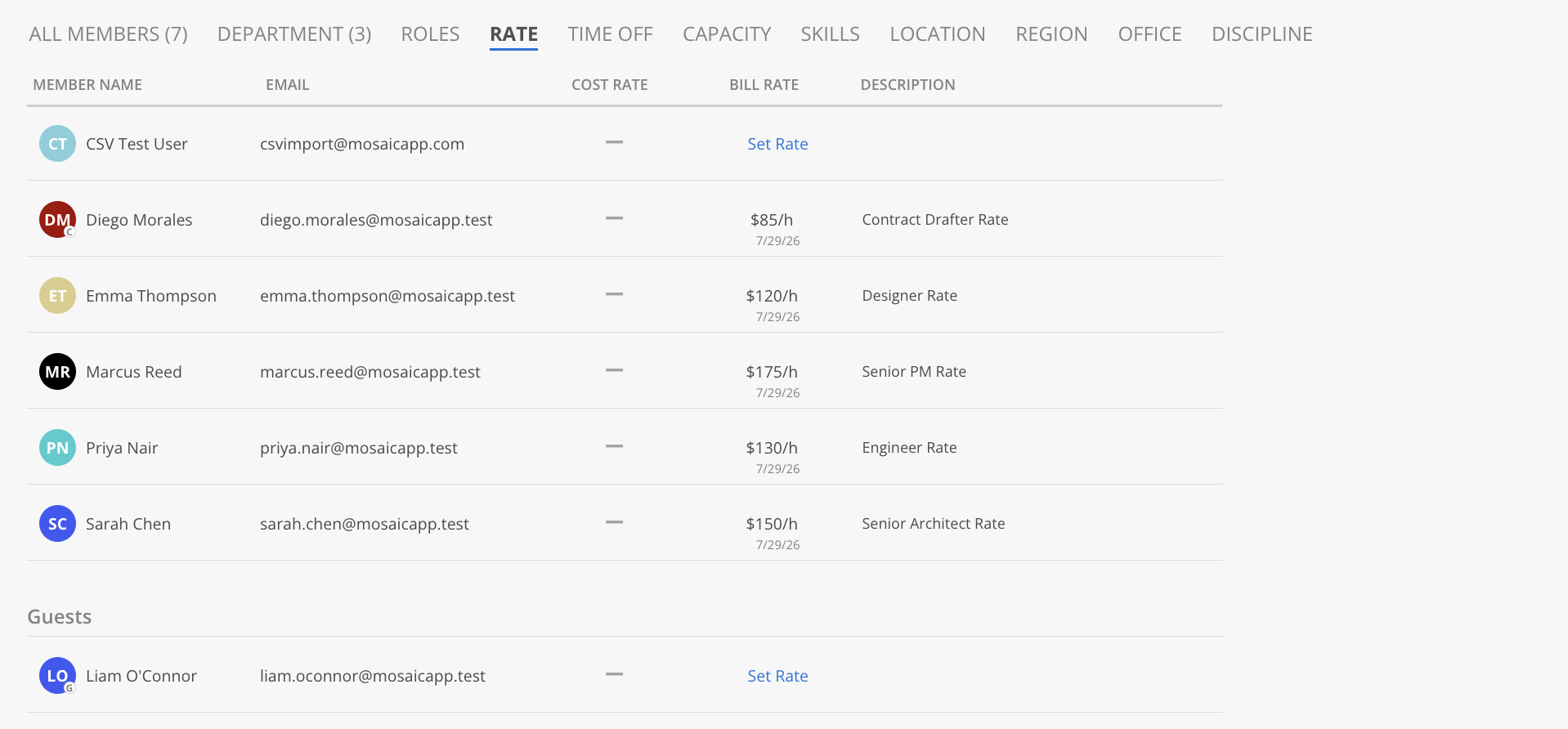
-
Time Off — lists each member with their region, office, and PTO policy (such as
160.0h | Standard PTOfor Sarah, or120.0h | Part-Time PTOfor Priya) filled in from the file. Diego, imported without time-off values, shows a Set Policy prompt instead.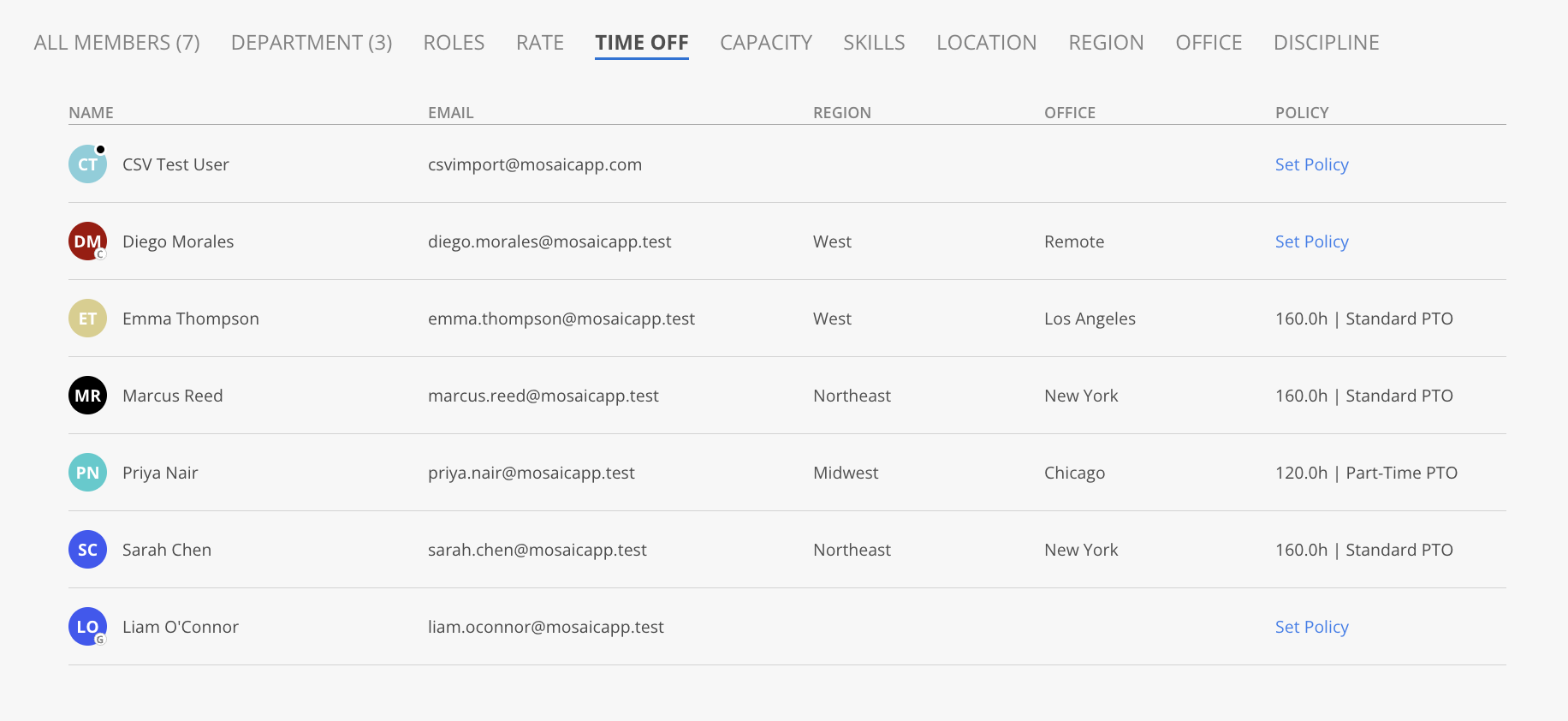
-
Skills — groups members under each skill with a skill-level bar. The
:levelyou set (1–5) becomes a named level — from the sample,AutoCAD:5(Diego) shows as Expert andAutoCAD:4(Sarah) as High.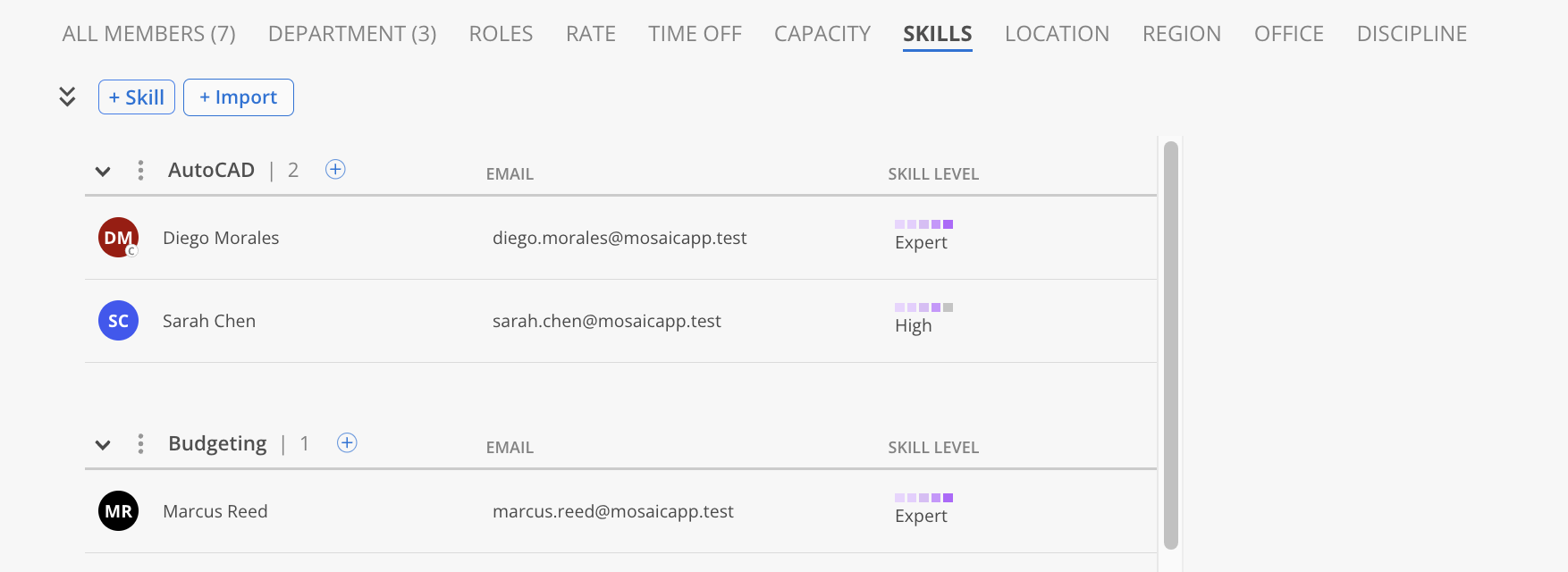
-
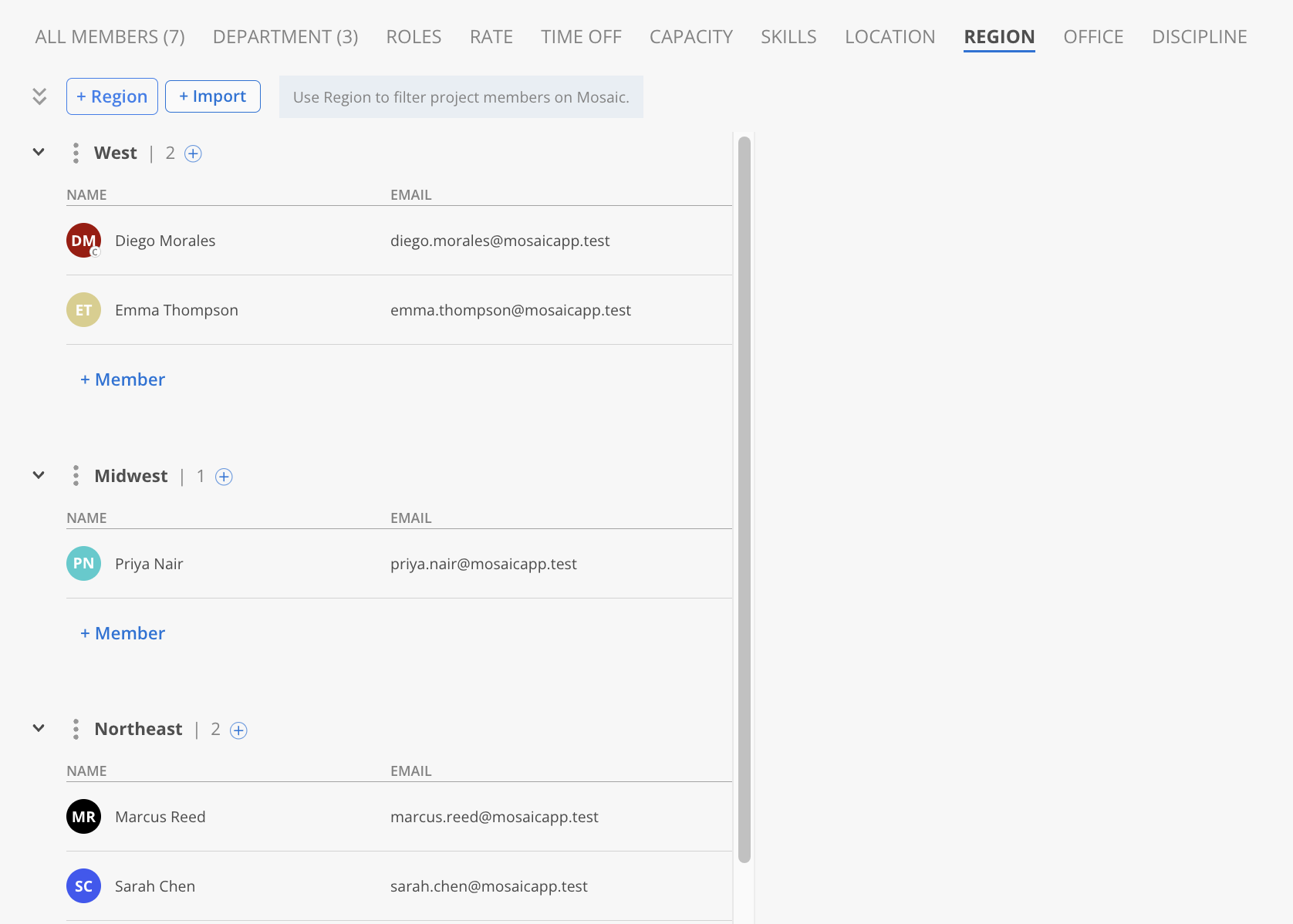
Region — groups members by Region — West (Diego, Emma), Northeast (Sarah, Marcus), and Midwest (Priya). Used to filter project members across Mosaic.
-
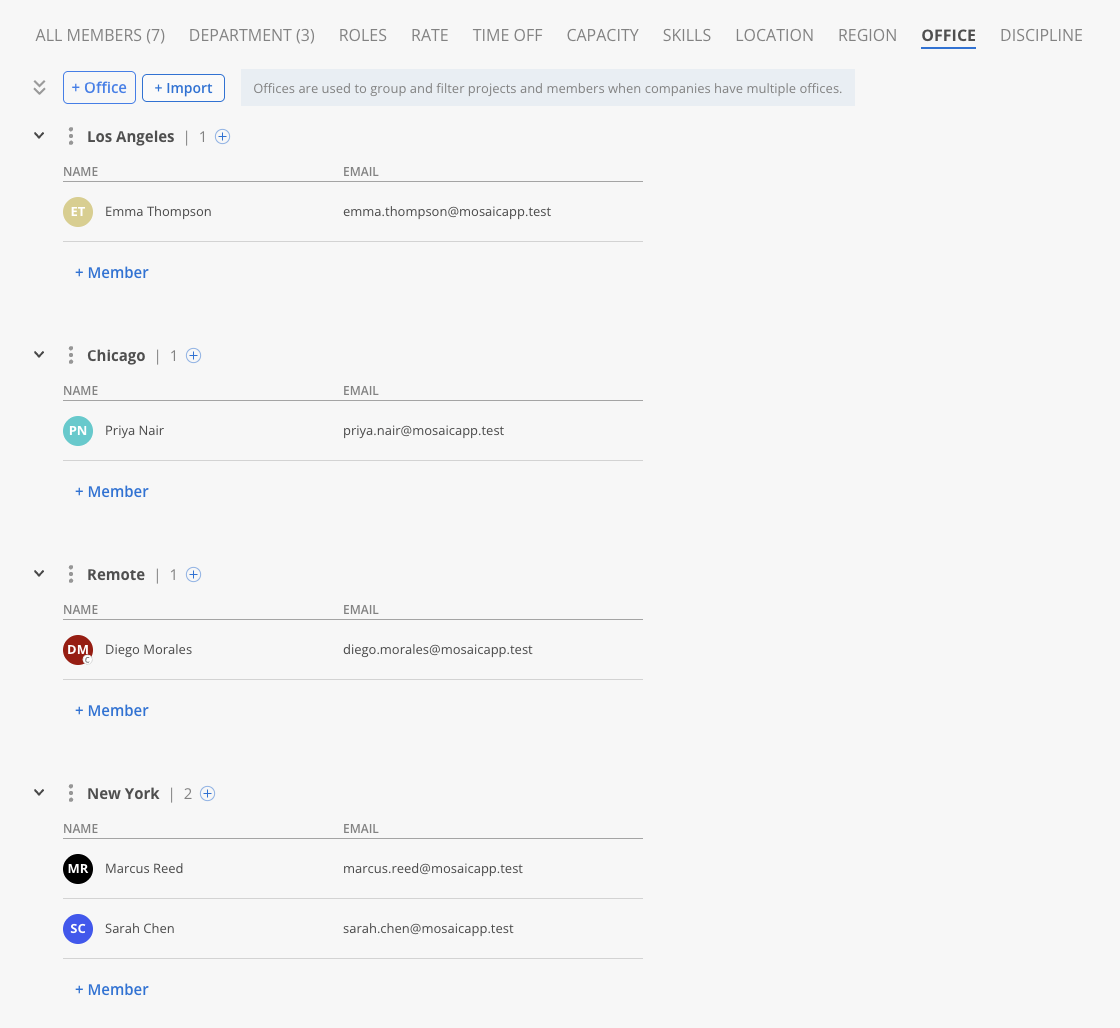
Office — groups members by Office — New York (Sarah, Marcus), Chicago (Priya), Los Angeles (Emma), and Remote (Diego). Used to group and filter projects and members when a company has multiple offices.
-
Discipline grouping people by the values from those columns.
Troubleshooting
| Problem | Fix |
|---|---|
| "The email already exists in the team" | That person is already in Mosaic — remove the row or update them directly |
| "Invalid employment type…" | Use exactly Member, Guest, Contractor (Internal), or Contractor (External) |
| "Rate amount is required if rate description is entered" | Fill both Rate columns, or clear both |
| "Pto description is required if pto hours is entered" | Fill both Time Off columns, or clear both |
| "The rate amount does not match the rate description" | Use the same amount everywhere that rate label appears |
| Skills won't import | Check the format: Skill or Skill:N (N = 1–5), comma-separated, no leading comma |
| Role/rate/discipline columns missing | The associated-member-fields setting may be off — contact your admin |
Updated 3 months ago