
Integration Settings FAQs
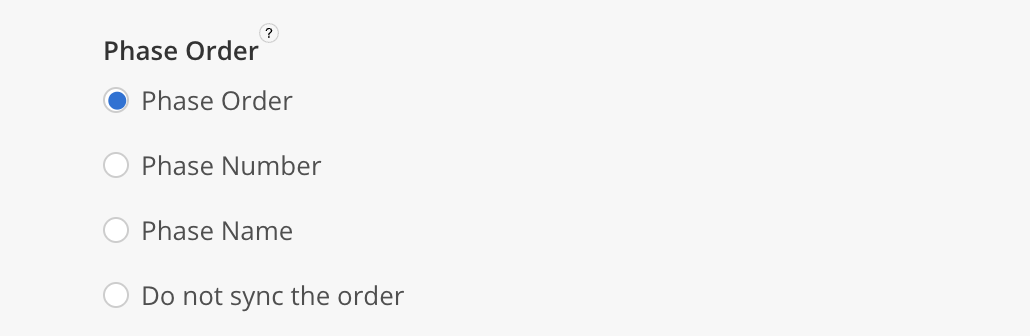
Q: How does Mosaic order my integrated Phases?
Integrated Phases can be ordered in different ways, depending on the ERP system:
-
Phase Name: This is available in all integrations with the Phase data type.
-
Phase Number: This is available in all integrations that include the Phase Number.
-
Phase Order: Applicable in Deltek Ajera, Costpoint, PIM, Vantagepoint, and Vision.
-
Ajera: Uses the
Orderfield. -
PIM: Uses the
Variation Code. -
Costpoint, Vantagepoint, and Vision: Uses the Phase Number.
-
Q: If I change the fetch settings, will my data update automatically?
- No. Updating settings does not automatically trigger a data update.
Q: How far back does Mosaic fetch data during scheduled updates?
-
Mosaic applies a 120‑day look‑back window to each supported data type during fetches. Only records that have been modified within the past 120 days are retrieved or updated. Any records outside this 120‑day window will not be updated during scheduled or triggered fetches.
The following data types are subject to this limit:
- Time Entry
- Project
- Phase
- Work Category
- Client
- Employee
- Activity
- Work Plan
- Task
- Scope
- Calendar Event
- Calendar
- Budget Estimate
- Invoice
- Department
- Role
- Member Project Role
- Member Role
- PTO
- Rate
- Member Project Rate
- Bill Rate / Cost Rate
- Portfolio
- Office
- Holiday
- Rate Group
- Work Category Rate / Role Rate
- Currency Exchange Rate
Updated 8 months ago